Cookie Consent Banners: What You Need to Know

Jan van Dijk
March 25, 2026 · 7 min read

If you’ve browsed the internet in the last few years, you’ve seen them — those pop-ups asking you to “accept cookies” before you can read an article or shop online. But what exactly are cookie consent banners, why do they exist, and does your website need one?
I’ve audited dozens of websites for cookie compliance. The most common mistake I see? Websites that have a “cookie banner” but still load tracking scripts before the user clicks accept. That’s not just bad practice — it can lead to real fines.
In this guide, I’ll break down everything you need to know about cookie consent banners in plain language. No legal jargon, no confusing technical terms. Just the essentials.

What Are Cookies?
Before we talk about consent banners, let’s quickly cover what cookies actually are. A cookie is a small text file that a website stores on your computer or phone when you visit it. Cookies help websites remember things about you.
For example, cookies can remember:
- That you’re logged in, so you don’t have to type your password on every page
- What items are in your shopping cart
- Which language you prefer
- Which pages you visited and how long you stayed (for analytics)
- Your interests, so advertisers can show you targeted ads
Cookies were invented in 1994 by a Netscape engineer named Lou Montulli. They were originally designed to solve a simple problem: helping websites remember who you are between page loads. But over the decades, cookies evolved into powerful tracking tools — and that’s where privacy concerns come in.
Why Websites Need Cookie Consent
In 2018, the European Union’s General Data Protection Regulation (GDPR) changed the rules for how websites handle personal data. Under the GDPR, cookies that track user behavior count as personal data. That means websites need a legal reason to use them.
The most common legal reason? Consent. The user has to say “yes” before a website can drop non-essential cookies on their device.
This isn’t just a European thing anymore. Privacy laws like Brazil’s LGPD, California’s CCPA/CPRA, and Canada’s PIPEDA all have rules about tracking and consent. According to the GDPR.eu cookies guide, any website that serves visitors in these regions needs to comply — even if the website owner lives somewhere else.
That’s why cookie consent banners became so common. They’re the mechanism websites use to ask for permission before loading tracking cookies.
Types of Cookies: Which Ones Need Consent?
Not all cookies are treated equally under the law. Here’s a simple breakdown of the three main categories:
1. Strictly Necessary Cookies
These cookies are essential for a website to function. Without them, basic features like logging in, loading secure pages, or processing payments wouldn’t work. Examples include session cookies and authentication cookies.
Consent needed? No. These are exempt because the website literally can’t work without them.
2. Analytics Cookies
These cookies track how visitors use a website — which pages they visit, how long they stay, and where they came from. Tools like Google Analytics use these cookies to generate traffic reports.
Consent needed? Yes, in most cases. Under the GDPR and the ePrivacy Directive, analytics cookies require consent because they process personal data. Some privacy-focused analytics tools (like Plausible or Fathom) are designed to work without cookies, which can help you avoid this requirement. You can learn more in our beginner’s guide to Google Analytics 4.
3. Marketing and Advertising Cookies
These are the cookies that follow you around the internet. They track your browsing habits across multiple websites so advertisers can show you personalized ads. Think Facebook Pixel, Google Ads remarketing, and similar tools.
Consent needed? Absolutely yes. These are the most privacy-invasive cookies and always require explicit consent.
What Makes a Good Cookie Consent Banner?
A good cookie consent banner isn’t just a checkbox exercise. It needs to be genuinely compliant with privacy laws. Here’s what the UK Information Commissioner’s Office (ICO) and other regulators say a proper cookie banner should include:
Clear Language
Don’t hide behind legal speak. Tell visitors in plain words what cookies you use and why. “We use cookies to analyze traffic and personalize ads” is much better than three paragraphs of legal text nobody reads.
A Real Choice
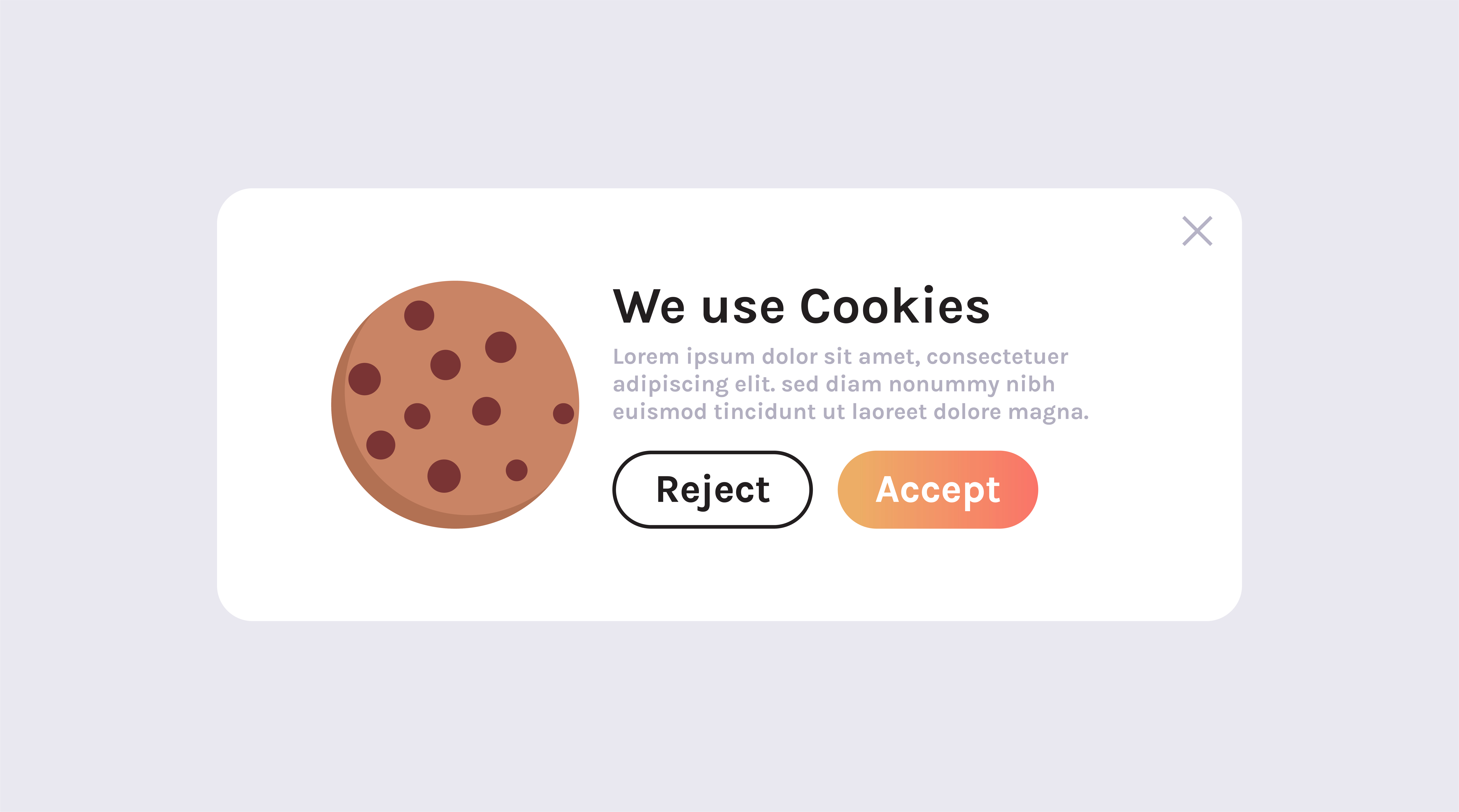
Visitors must be able to accept or reject non-essential cookies. A banner that only has an “Accept” button is not compliant. The reject option should be just as easy to find and click as the accept option.
Granular Options
Best practice is to let users choose which categories of cookies they want to allow. For example: “Allow analytics cookies? Allow marketing cookies?” This gives people real control over their privacy.
No Pre-Checked Boxes
Under GDPR, consent must be freely given. That means you can’t pre-check the “analytics” and “marketing” boxes and hope people don’t notice. All non-essential cookie categories should be off by default.
No Cookie Wall
A “cookie wall” blocks access to your website unless the visitor accepts all cookies. The French data protection authority CNIL and other EU regulators have ruled that this approach is not valid consent, because it’s not freely given.
Common Cookie Compliance Mistakes
After reviewing many websites for cookie compliance, I keep seeing the same mistakes over and over. Here are the ones that can get you in trouble:
1. Loading Tracking Scripts Before Consent
This is the number one mistake. Your Google Analytics tag, Facebook Pixel, or ad scripts fire as soon as the page loads — before the user even sees the cookie banner. This defeats the entire purpose of asking for consent. The fix: use a consent management platform that blocks these scripts until the user clicks “Accept.”
2. Making “Reject” Harder Than “Accept”
Some websites use a big, colorful “Accept All” button next to a tiny, gray “Manage Preferences” link that takes you through three more screens before you can reject cookies. Regulators call this a dark pattern, and they’re cracking down on it. In 2022, CNIL fined Google and Facebook a combined 210 million euros partly for making it harder to refuse cookies than to accept them.
3. No Way to Change Your Mind
Once a visitor accepts cookies, they should be able to change their preferences later. Most consent tools add a small icon or link (often in the website footer) that reopens the cookie settings. If you don’t offer this, you’re not fully compliant.
4. Ignoring Cookie Expiry
Consent isn’t forever. Most regulators recommend asking for consent again every 6 to 12 months. Your consent management tool should handle this automatically, but it’s worth checking. For more details on how privacy regulations affect your analytics setup, see our guide on GDPR and website analytics.
5. Using a Banner but Not Documenting Consent
Under GDPR, you need to be able to prove that a user gave consent. That means logging when consent was given, what was consented to, and how. If a regulator asks, “show me the records,” a banner alone won’t cut it.
Free Cookie Consent Tools
You don’t need to build a cookie consent banner from scratch. Several free and open-source tools can handle it for you:
- CookieYes: A popular WordPress plugin with a free tier. It scans your site for cookies and generates a compliant banner with accept/reject options.
- Complianz: Another WordPress plugin that goes beyond the banner — it includes a cookie policy generator and integrates with popular analytics tools.
- Cookiebot (free tier): Works with any website (not just WordPress). It automatically scans and categorizes cookies and provides a fully customizable banner.
- Osano: Offers a free plan for small websites. It monitors your site for new cookies and helps you stay compliant as things change.
- Cookie Consent by Insites (open source): A lightweight, open-source JavaScript solution. Great if you want full control and don’t mind a bit of coding.
When choosing a tool, look for one that: blocks scripts before consent, logs consent records, lets users change their preferences, and supports the privacy laws that apply to your audience.
Do I Need a Cookie Consent Banner?
Not every website needs a cookie consent banner. Here’s a simple decision guide:
Step 1: Does your website use cookies?
If no — you probably don’t need a banner. If yes — continue.
Step 2: Are all your cookies strictly necessary (login sessions, shopping carts, security tokens)?
If yes — you likely don’t need a banner, but a cookie policy page is still a good idea. If no — continue.
Step 3: Do you have visitors from the EU, UK, Brazil, California, or other regions with cookie consent laws?
If yes — you need a cookie consent banner. If no — continue.
Step 4: Do you use Google Analytics, Facebook Pixel, Google Ads, or any third-party marketing tools?
If yes — you almost certainly need a banner regardless of where your visitors are. Many of these tools set cookies that are covered by privacy laws worldwide.
When in doubt, add a consent banner. The cost of adding one (often free) is far less than the cost of a fine or a damaged reputation.
FAQ
What happens if I don’t have a cookie consent banner?
If your website uses non-essential cookies without getting consent, you could face fines under GDPR (up to 20 million euros or 4% of annual global revenue), complaints from visitors, or enforcement actions from data protection authorities. Even smaller websites have been targeted.
Do cookie consent banners slow down my website?
Most modern consent management tools are lightweight and load asynchronously, so the impact on page speed is minimal. In fact, blocking third-party tracking scripts until consent is given can actually make your initial page load faster for visitors who decline cookies.
Can I use a simple “This site uses cookies” notice instead of a full banner?
No — at least not under GDPR and similar laws. A simple notice that says “This site uses cookies. By continuing to browse, you agree” is not valid consent. The user must take an affirmative action (like clicking “Accept”), and they must have the option to refuse non-essential cookies.
Are cookie consent banners required in the United States?
There is no single federal cookie consent law in the US. However, California’s CCPA/CPRA requires businesses to disclose data collection practices and offer opt-out rights. Several other states have enacted similar privacy laws. If your website uses advertising cookies and has US visitors, implementing a consent banner is a smart precaution.
Written by Jan van Dijk
Independent web analyst from Amsterdam. I help small businesses understand their data and build tools that make everyday web tasks easier.
More about me