Understanding Sessions vs Users in Google Analytics

Jan van Dijk
March 8, 2026 · 7 min read

When I first started looking at analytics data, the difference between sessions vs users confused me for weeks. A single person can generate multiple sessions — and that changes how you interpret your data. If you have ever stared at your Google Analytics dashboard wondering why your session count is so much higher than your user count, you are not alone.
In this guide, I will break down exactly what sessions and users mean in Google Analytics, how GA4 counts each one, and why understanding the difference matters for making smarter decisions about your website.
What Is a User in Google Analytics?
A user in Google Analytics represents a unique visitor to your website. When someone visits your site for the first time, GA4 assigns them a unique identifier — usually stored in a browser cookie. Every time that person comes back using the same browser and device, Google Analytics recognizes them as the same user.
There are two types of users you will see in GA4:
- Total Users: The total number of unique visitors who had at least one session during your selected date range.
- New Users: People who visited your site for the very first time during that period.
Here is an important detail that tripped me up early on: if someone visits your website from their phone and then later from their laptop, Google Analytics may count them as two separate users. That is because each device has its own cookie. GA4 does offer cross-device reporting through Google Signals, but it is not perfect.
What Is a Session in Google Analytics?
A session is a group of interactions that a user has with your website within a given time frame. Think of it as a single visit. When someone lands on your site, browses a few pages, and then leaves — that entire visit counts as one session.
In GA4, a session starts when a user opens your site or app. By default, a session ends after 30 minutes of inactivity. So if someone visits your site at 9:00 AM, leaves for lunch, and comes back at 2:00 PM, that counts as two sessions from the same user.
According to Google’s official documentation, a session in GA4 is triggered by the session_start event. This event fires automatically when a user engages with your site after a period of inactivity.

Sessions vs Users: Key Differences
The simplest way to understand the difference: users are people, sessions are visits. One user can have many sessions, but each session belongs to only one user.
| Feature | Users | Sessions |
|---|---|---|
| What it measures | Unique visitors | Individual visits |
| Can one person create multiple? | No (ideally) | Yes |
| Tracked by | Cookie / User ID | session_start event |
| Timeout | Cookie expiration (2 years in GA4) | 30 minutes of inactivity |
| Resets at midnight? | No | No (changed in GA4) |
| Best for measuring | Audience size | Engagement frequency |
Why the Distinction Matters
Understanding sessions vs users is not just an academic exercise — it directly affects how you analyze your website’s performance. Here is why:
Audience Size vs. Engagement
If you want to know how many people your content reaches, look at users. If you want to know how often those people come back, compare sessions to users. A high sessions-to-users ratio means people are returning to your site regularly, which is usually a good sign.
Accurate Conversion Tracking
Imagine you have 1,000 sessions and 10 purchases. Your session-based conversion rate is 1%. But if those 1,000 sessions came from only 500 users, your user-based conversion rate is 2%. Both numbers are correct — they just answer different questions.
Bounce Rate Context
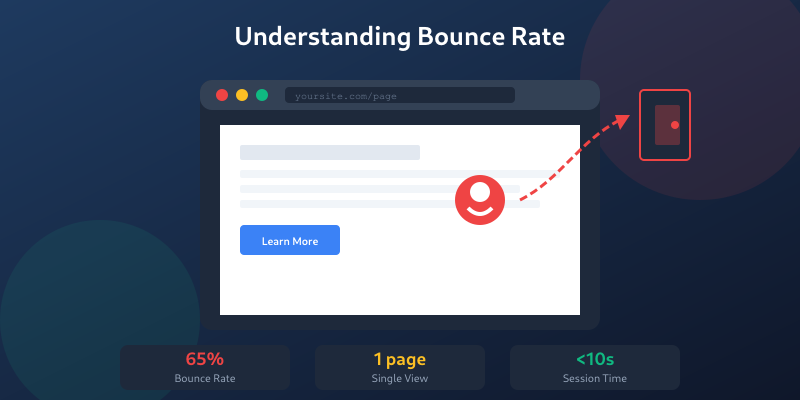
Your bounce rate is calculated at the session level. A user might bounce on their first visit but come back later and explore five pages. Understanding that sessions and users are different helps you avoid jumping to the wrong conclusions about your content quality.
Real-World Examples
Let me walk you through a few scenarios to make this concrete:
Example 1: The Daily Reader
Sarah visits your blog every morning for a week to read your latest post. In your analytics, you will see:
- Users: 1
- Sessions: 7
Sarah is one user who generated seven sessions. This is great — it means your content is engaging enough to bring her back.
Example 2: The Multi-Device Visitor
Tom checks your site on his phone during his commute, then visits again from his work laptop. Without Google Signals or User ID enabled:
- Users: 2 (one per device)
- Sessions: 2
In reality, Tom is one person, but GA4 sees two separate users. This is one reason why user counts are never 100% accurate.
Example 3: The Long Browser
Maria opens your site at 10:00 AM, reads an article, then gets distracted. She comes back to her browser at 11:00 AM (more than 30 minutes later) and clicks another page:
- Users: 1
- Sessions: 2
The 30-minute inactivity timeout caused GA4 to start a new session even though Maria never closed the tab.

How GA4 Counts Sessions Differently
If you have used Universal Analytics (the older version of Google Analytics), you might notice that GA4 counts sessions differently. Here are the main changes:
- No midnight reset: In Universal Analytics, a session that crossed midnight was split into two sessions. GA4 does not do this — a session that starts at 11:50 PM and continues past midnight stays as one session.
- No new session for campaign changes: In Universal Analytics, if a user arrived via one campaign and then clicked a different campaign link, it started a new session. GA4 does not restart sessions when campaign source changes.
- Event-based model: GA4 uses an event-based data model instead of the hit-based model used by Universal Analytics. Sessions in GA4 are derived from the
session_startevent.
These changes mean that if you compare GA4 session counts to Universal Analytics, you may see lower numbers in GA4. That does not mean your traffic dropped — it just means GA4 counts more accurately.
For a broader introduction to the platform, check out our Google Analytics 4 beginners guide.
Common Misconceptions
After working with analytics data for years, I see the same misunderstandings come up again and again. Let me clear up a few:
“Users = People”
Not exactly. Users represent unique browser-device combinations, not actual human beings. One person using three different browsers will be counted as three users. According to Wikipedia’s web analytics overview, this is a fundamental limitation of cookie-based tracking.
“More Sessions Always Means More Traffic”
Not necessarily. If your user count stays the same but sessions increase, it means the same people are visiting more often. That is returning traffic, not new traffic. Both can be valuable — but they require different strategies.
“A Session Is the Same as a Pageview”
A session can include multiple pageviews, events, and interactions. If someone visits three pages in one sitting, that is one session with three pageviews. Google’s GA4 dimensions and metrics documentation explains the full hierarchy of how these metrics relate to each other.
“Closing the Browser Ends the Session”
In GA4, closing the browser does not immediately end a session. The session is considered over after 30 minutes of inactivity. If someone closes their browser and reopens your site within 30 minutes, GA4 treats it as the same session.
Practical Tips for Using Sessions and Users
Here are a few tips I have learned from analyzing analytics data over the years:
- Use the sessions-to-users ratio to gauge visitor loyalty. A ratio of 1.0 means everyone visits only once. A ratio of 2.0 or higher suggests strong returning traffic.
- Compare new users to total users to understand your growth. If new users make up most of your total users, your audience is growing but not returning.
- Look at sessions per user over time to spot trends. A declining ratio might mean your content is losing appeal to existing visitors.
- Enable Google Signals in GA4 to improve cross-device user tracking and get more accurate user counts.
- Set custom session timeouts if the default 30 minutes does not match your content. For long-form video content, you might want a longer timeout. You can adjust this in your GA4 property settings under data stream settings.
FAQ
What is the difference between sessions and users in Google Analytics?
A user represents a unique visitor identified by a browser cookie, while a session represents a single visit or period of activity on your website. One user can have multiple sessions. For example, if you visit a website three times in one week, you count as one user with three sessions.
Why are my sessions higher than my users in Google Analytics?
Sessions will almost always be higher than users because one person can visit your website multiple times. Each visit creates a new session, but the visitor is still counted as a single user. A high sessions-to-users ratio indicates that people are returning to your site frequently.
Does closing the browser end a session in GA4?
No. In Google Analytics 4, a session ends after 30 minutes of inactivity — not when the browser is closed. If a visitor closes the browser and returns within 30 minutes, GA4 considers it part of the same session. You can adjust the session timeout in your GA4 property settings.
Can one person be counted as multiple users in Google Analytics?
Yes. If someone visits your website from different devices or browsers, they may be counted as separate users because each device or browser has its own tracking cookie. Enabling Google Signals or implementing User ID tracking in GA4 can help reduce this duplicate counting.
Written by Jan van Dijk
Independent web analyst from Amsterdam. I help small businesses understand their data and build tools that make everyday web tasks easier.
More about me